Progress Billing Items
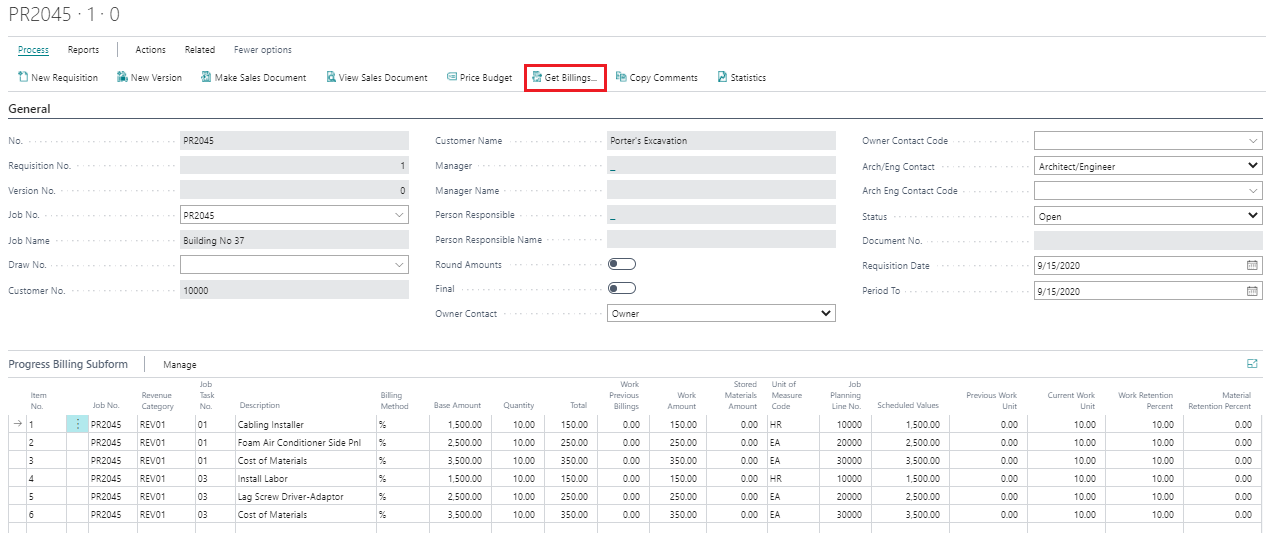
Get Billings
This feature is located under Process tab as Get Billings option. The ‘Get Billings’ will copy the Revenue Items under Planning Lines into the progress billing requisition being prepared.
In order to manually create progress billing items, go to the first line item and enter an “Item No.” which is alphanumeric. Each billing item is sorted by “order of entry” with the ability to insert additional billing items as necessary. As each billing item is created use the Lookup function to access the list of revenue categories, activity codes, description of billing items, and base amount from Job’s Price Budget. Then the Quantity represents the %, Units or Lump Sum values for billing item to-date information.
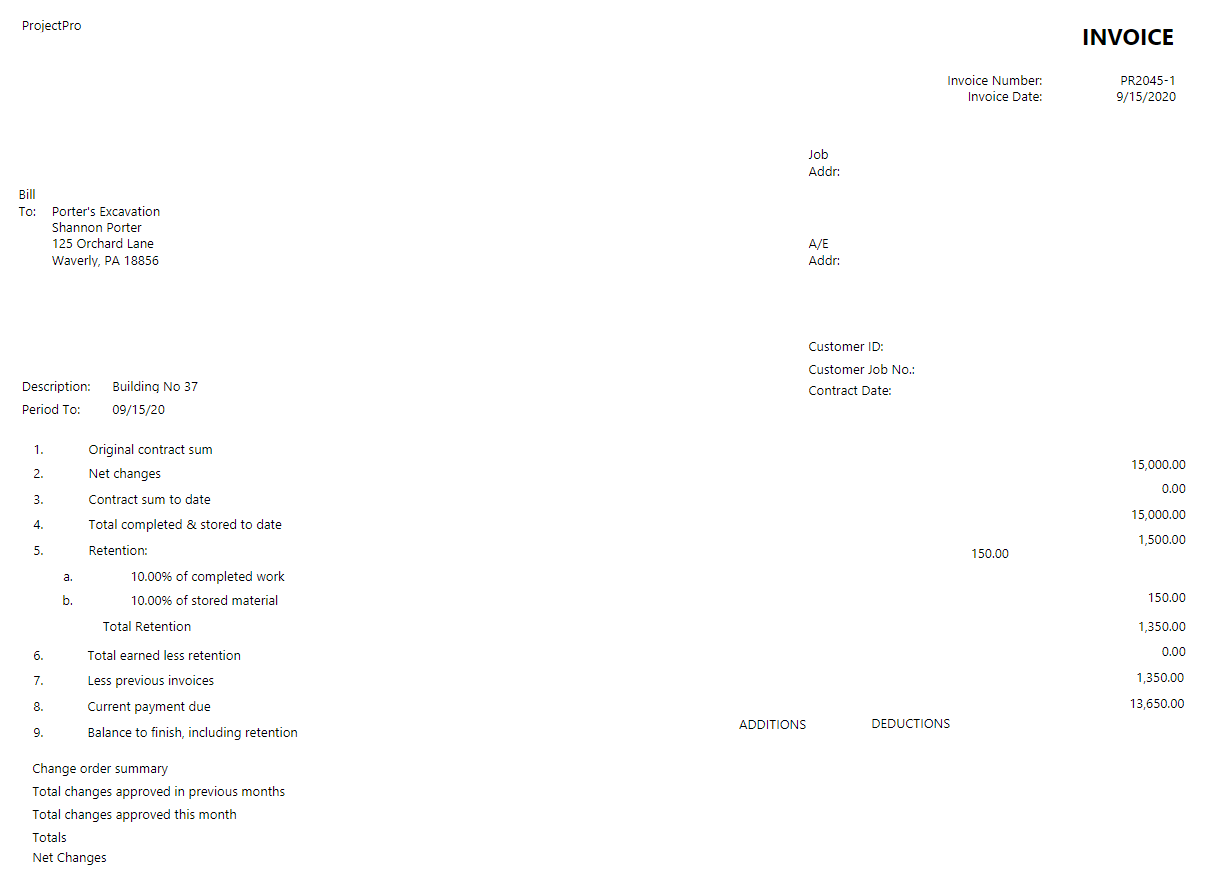
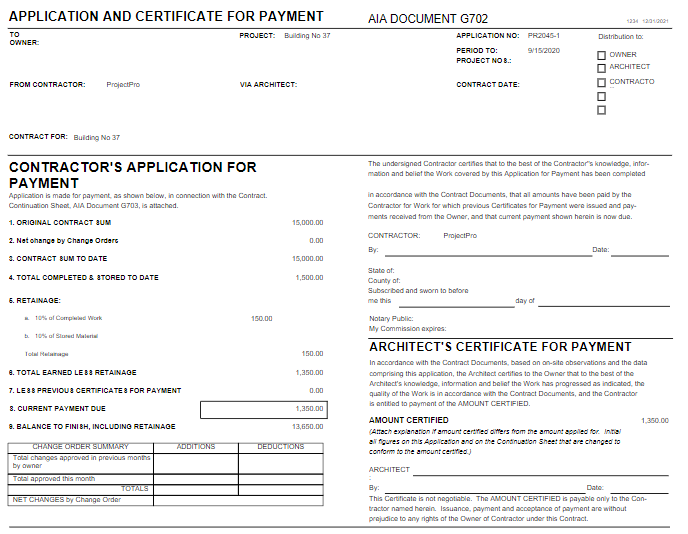
After you have entered all the applicable billing items from the Price Budget, you can select the Reports tab on the ribbon and select to print a Generic Progress Invoice Form, Progress Invoice with Units, AIA G702, and G703.
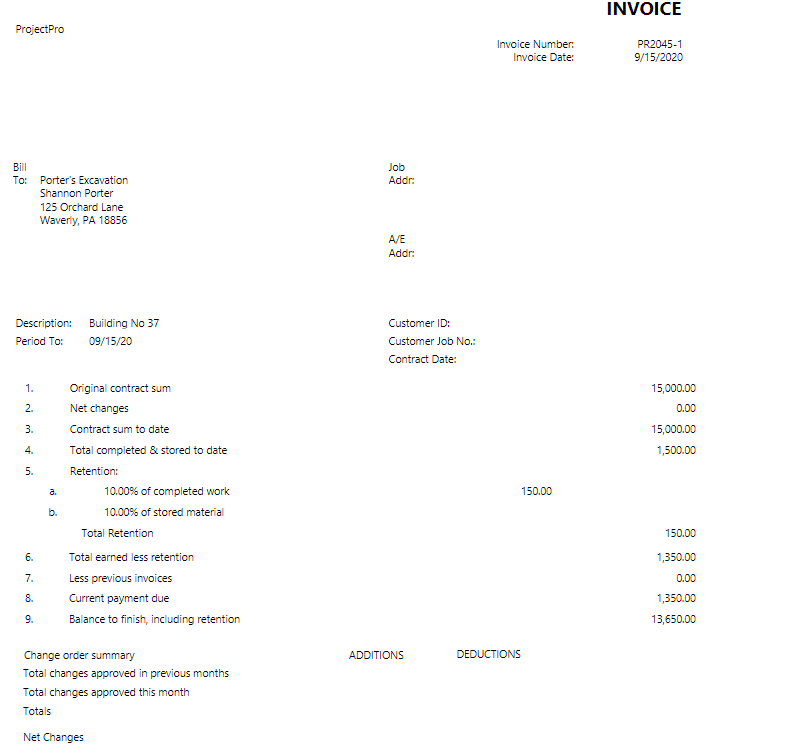
Generic Progress Invoice Sample
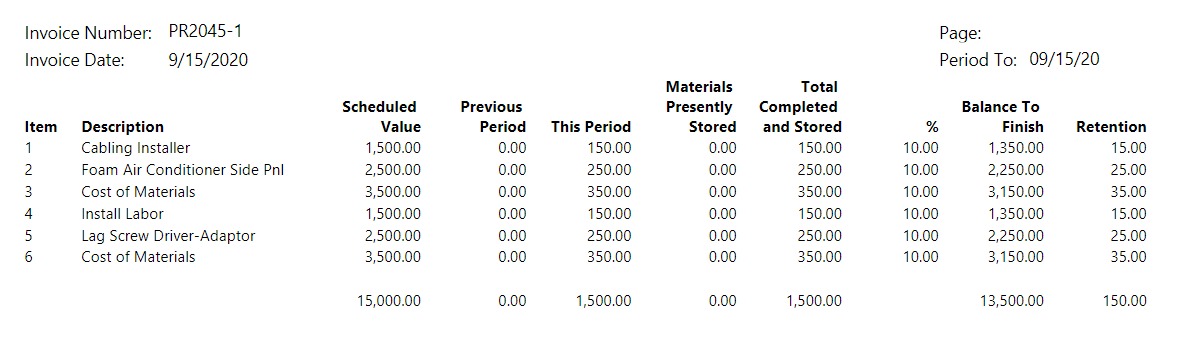
Progress Invoice with Units – Sample

AIA G702 – Sample
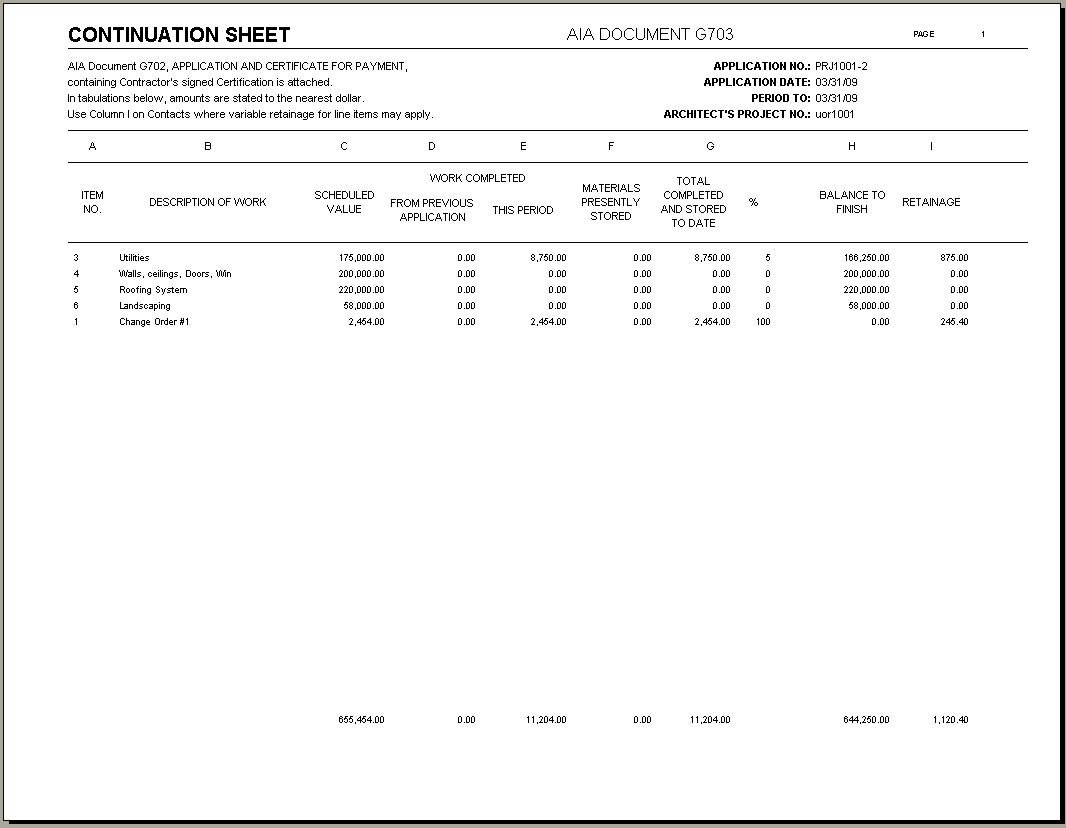
AIA G703 – Sample