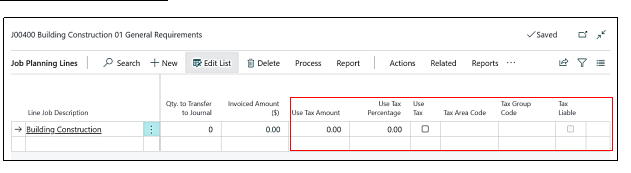
Scenario – 1
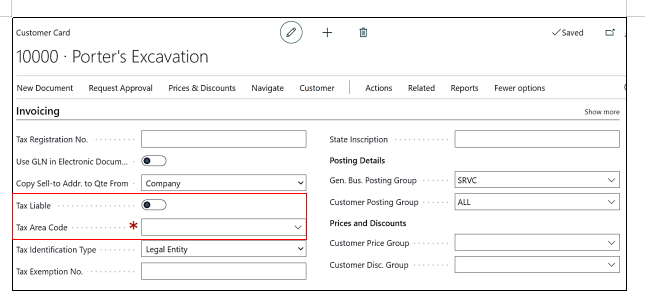
We will pick a Customer in a Job and on Customer Card under Invoicing Tab we will make the Tax Liable Boolean as False and Tax Area Code as Blank.
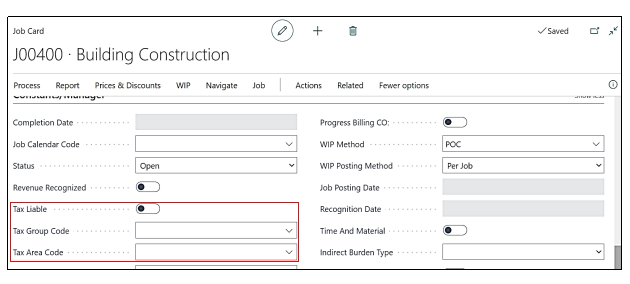
Now on Job card Constants and Manager Tab we will make the Tax Liable Boolean as False, Tax Group Code as Blank and Tax Area Code as Blank.
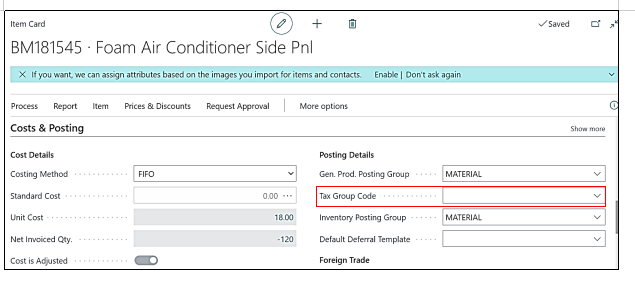
Now on Item card under Cost & Pricing Tab, we will make the Tax Group Code as Blank.
By making the above changes the result on the Job Planning Lines will be:
|
Tax Liable |
FALSE |
|
Tax Group Code |
BLANK |
|
Tax Area Code |
BLANK |
|
Use Tax |
FALSE |
|
Use Tax % |
BLANK |
|
Use Tax Amount |
BLANK |