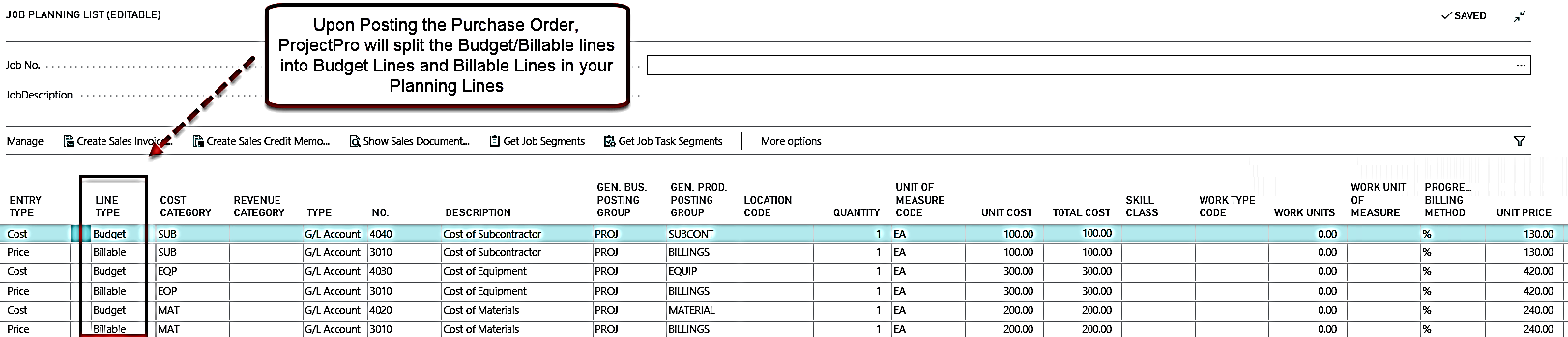
Creating Purchase Order
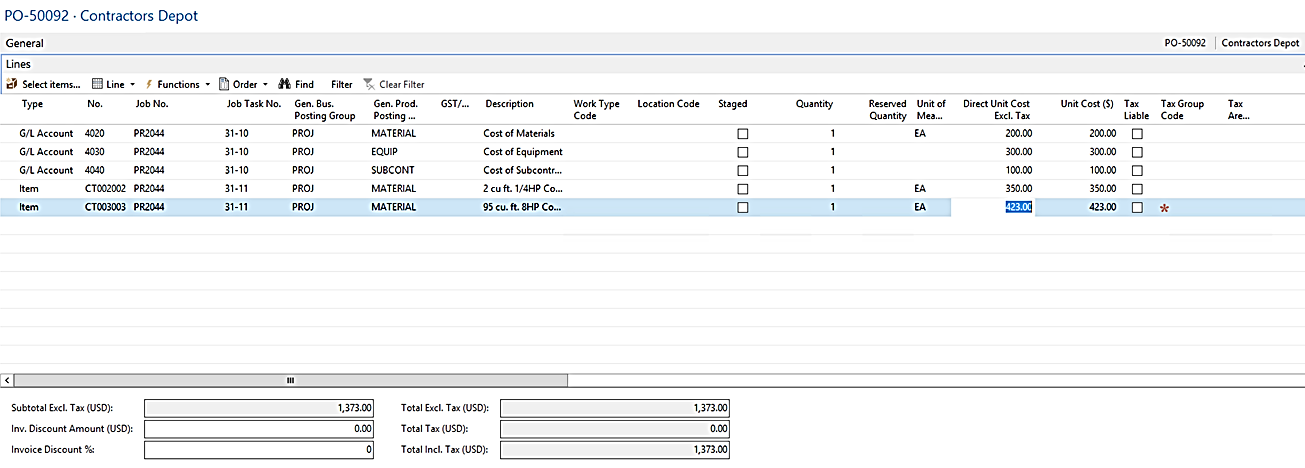
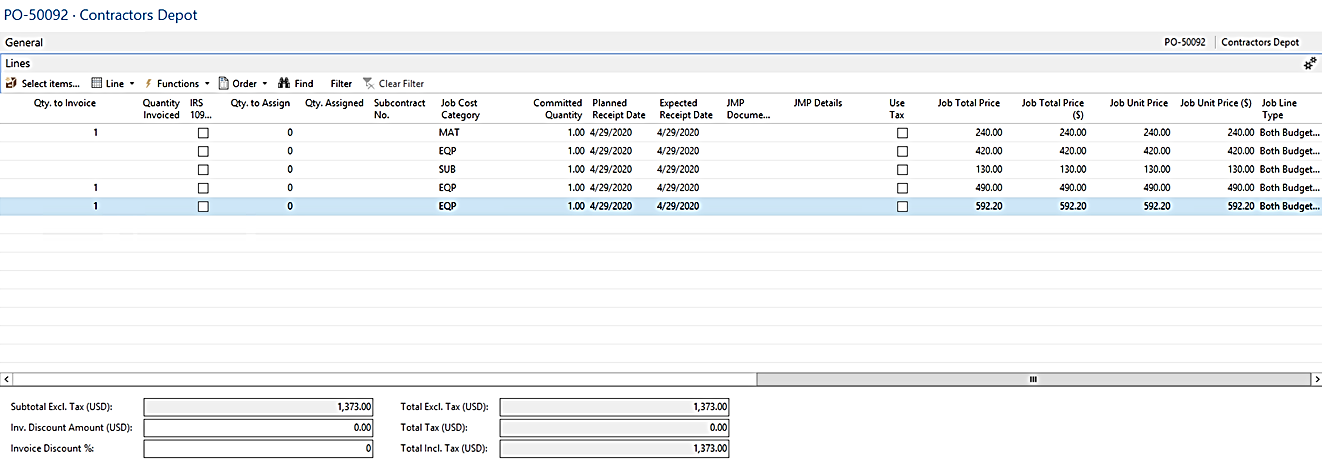
The next step is to create a Purchase Order using G/L and Job Cost Category and Post. Make sure you have the Job Price fields showing in the Purchase Order Lines. This reflects the Markups that have been set in the Cost/Price Tables.
Note: Because this is a Time and Material Job, the Line Type is “Both Budget and Billable”.
The Posted Purchase Invoice
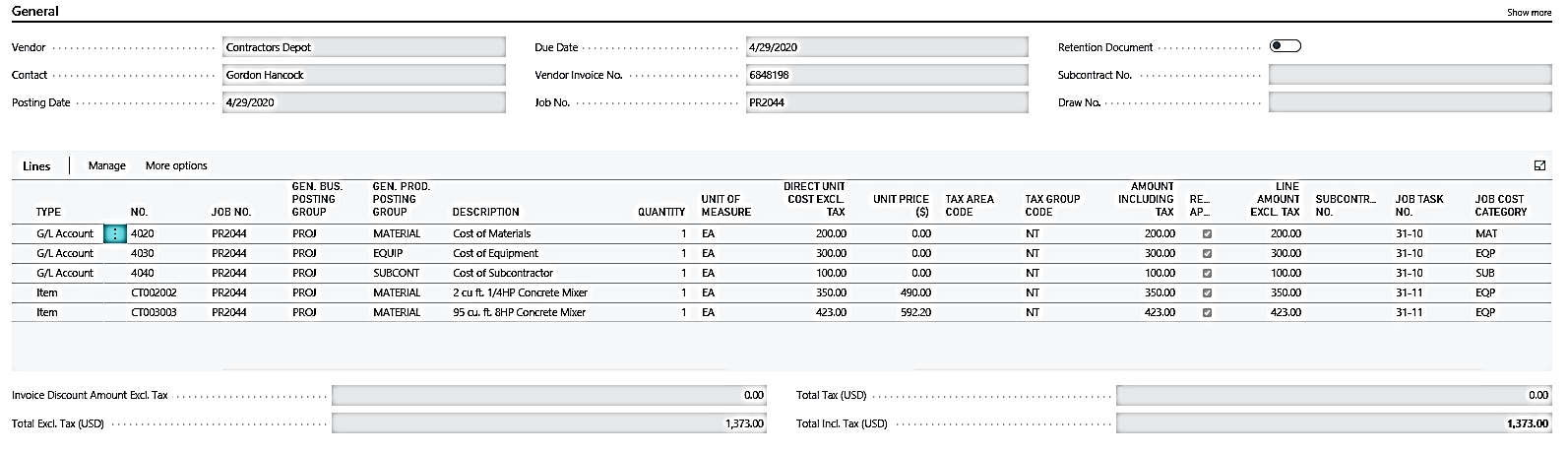
After posting the Purchase Order, review the Planning Lines. The Budget and Billable lines have been split to reflect the Costs and Prices of your Purchase Order.