Defining A Job
Time and materials (T&M) is a contract in which the project owner agrees to pay the contractor based upon the time spent by the contractor’s employees and subcontractors to perform the work, and for materials used in the construction (plus the contractor’s mark up on the materials used), no matter how much work is required to complete construction. Time and materials is generally used in projects in which it is not possible to accurately estimate the size of the project, or when it is expected that the project requirements would most likely change
11.1 DEFINING A JOB
Setting up a T&M job is like setting up a fixed price job in ProjectPro. Many of the fields are the same, however, there are some fields that differ.
When you have a T&M job, a few fields you will need to focus on are:
- Contract Date – Always populate the contract date of the Job
- Contract Type – Choose the contract type as Time and Material for a T&M job.
- Business Posting Group – Define the business posting group to which the postings should be directed to for this particular job.
- Product Posting Group – Define the product posting group to which the postings should be directed to for this job.
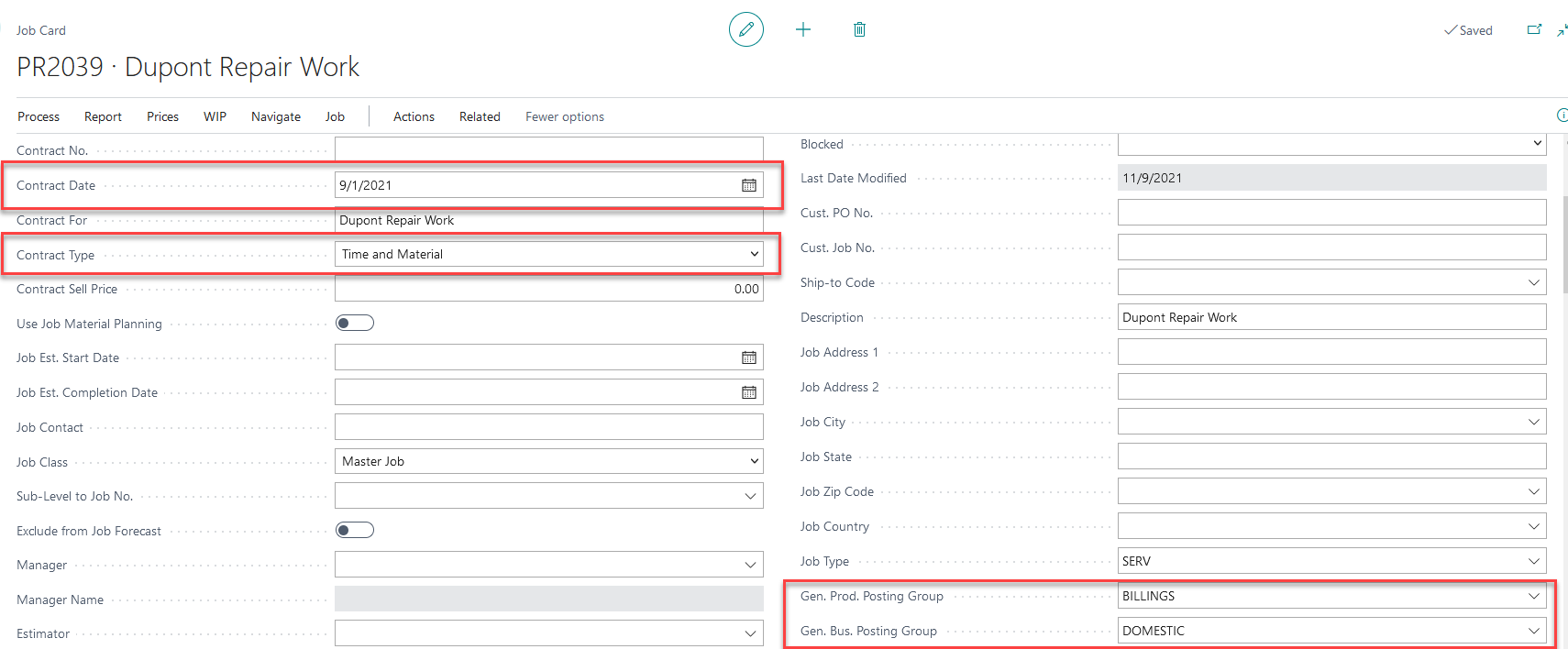
Continue filling in the rest of the Job Info section as you normally would for any job.
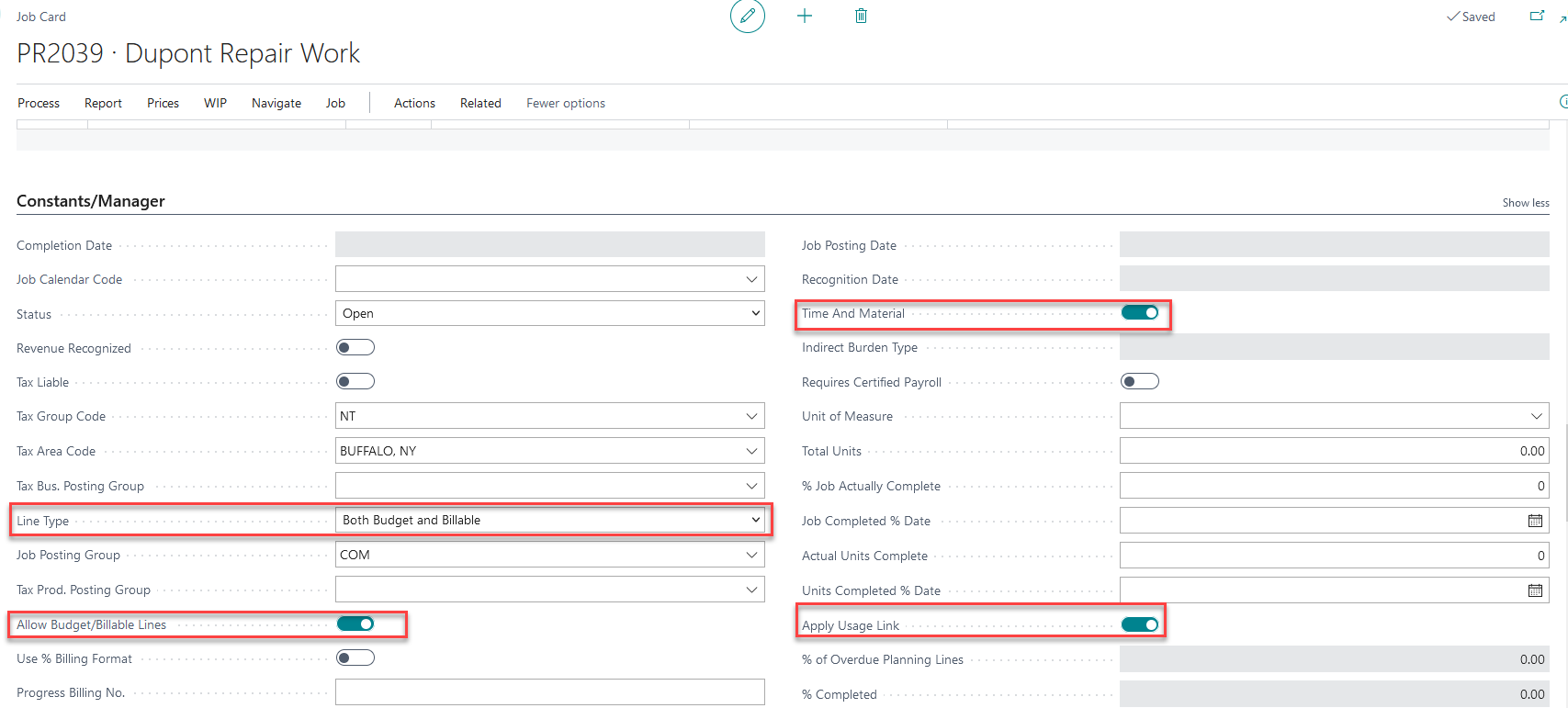
Next, under the Constants/Manager fast tab of the job card.
- Status – Status of the job should be set to Open.
- Time and Material – Time and material option should be toggled “ON”
Once you select “Time and Material”, ProjectPro will automatically turn on “Allow Budget/Billable Lines” “Apply Usage link” and set the Line Type to “Both Budget and Billable”