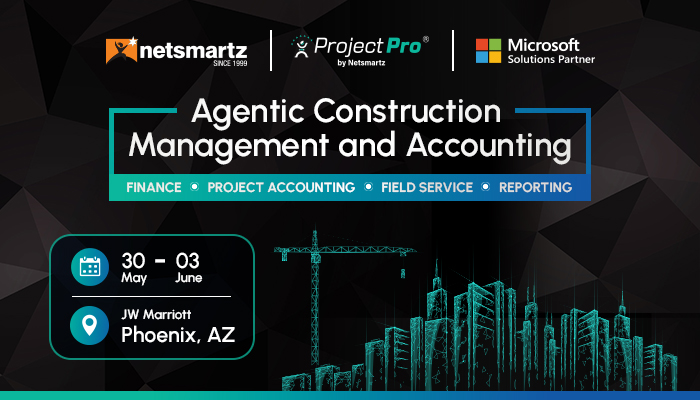
Every May-June, thousands of construction financial leaders gather for one of the biggest construction accounting events in North America: the CFMA Annual Conference and Exhibition.
In 2026, the event heads to Phoenix from May 30 through June 3, where vendors will be pitching, booths will be packed, and every sales rep will have a reason why their platform is the one.
For a CFO, that noise is dangerous.
Choosing the wrong construction ERP software is not a one-quarter problem. It is a multi-year commitment that can disrupt project financials, delay reporting cycles, and leave your team stitching together spreadsheets long after go-live.
This checklist gives you a structured framework to evaluate any construction management software before, during, or after the CFMA Conference 2026, so you leave Phoenix with a decision, not just a tote bag full of brochures.
Why CFMA ’26 is the Right Time to Evaluate Your ERP

This construction financial management conference is not just a networking event. It is the one room where CFOs, controllers, CPAs, and surety professionals gather to talk openly about what is working and what is not, including the technology running their back office.
This year’s agenda covers AI adoption, tax strategy, talent recruitment, and financial reporting, all decisions that sit directly on top of your ERP infrastructure. Meanwhile, the exhibition floor puts dozens of construction ERP software vendors within a short walk of each other.
That is a rare opportunity, but only if you know what to ask.
Before you walk the expo floor at CFMA Conference 2026, arm yourself with these non-negotiable criteria.
The CFO’s 7-Point Construction ERP Checklist
Evaluating construction ERP software at a busy conference is harder than it looks. Every vendor will show you a polished demo. Your job is to pressure-test what sits underneath it.
Here are the seven criteria that separate a system built for construction finance from one that just looks like the part:
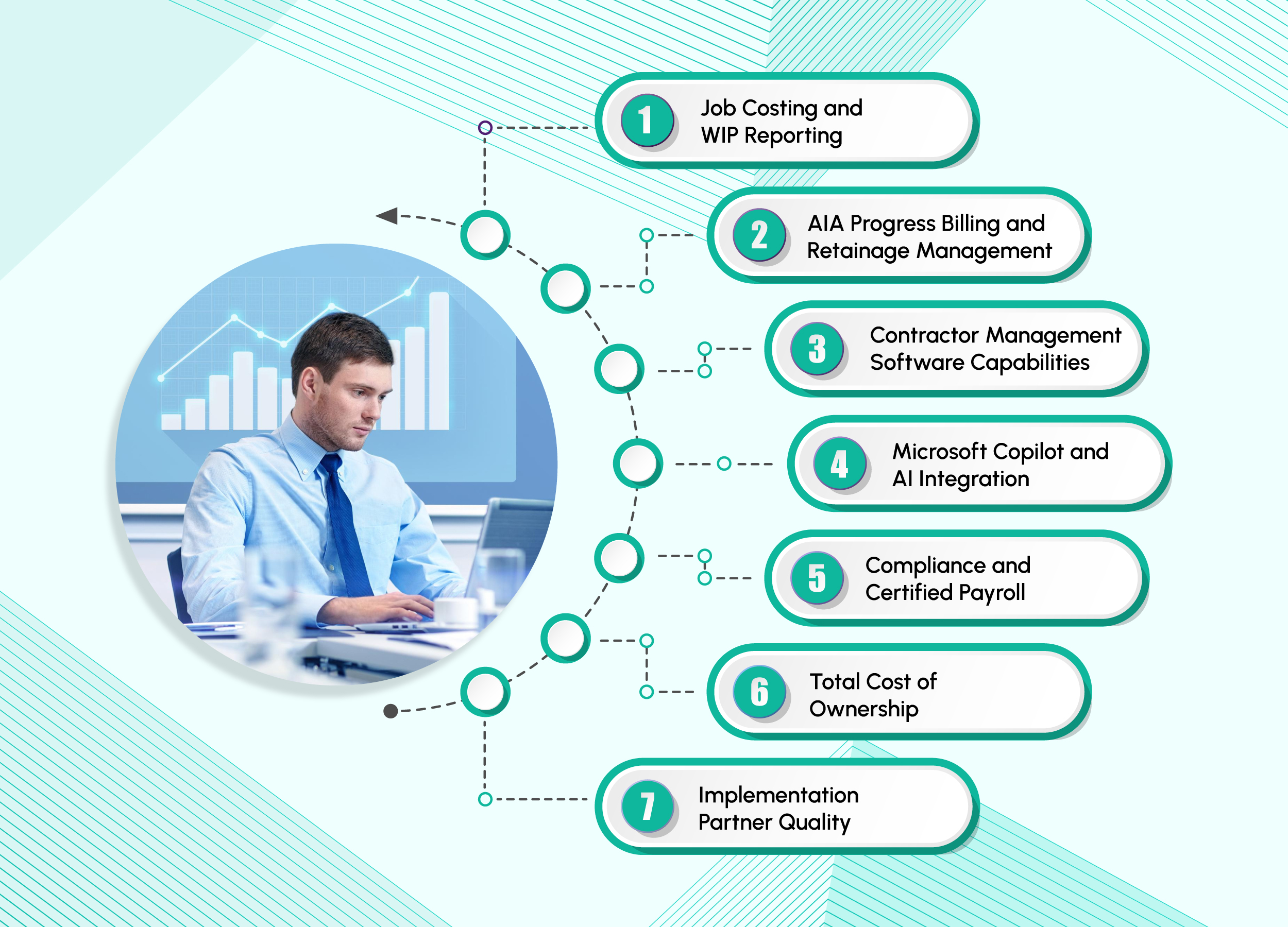
1. Job Costing and WIP Reporting
This is the foundation of any serious construction ERP software. You need real-time cost-to-complete figures, budget versus actuals at every cost code level, and WIP schedules that hold up to auditor scrutiny. A multi-level work breakdown structure is not a bonus feature; it is baseline functionality. Without it, every financial close becomes a scramble across spreadsheets and phone calls.
CFOs can ask, “Does the job cost functionality provide accurate WIP accruals for underbilling and overbilling?”
If the answer involves exporting data into Excel to reconcile manually, keep walking.
2. AIA Progress Billing and Retainage Management
For contractors working on commercial projects in North America, AIA billing is non-negotiable. Your construction ERP software should natively generate G702 and G703 pay applications, not rely on workarounds or third-party add-ons. Retainage tracking must function seamlessly across both accounts payable and accounts receivable, with a complete audit trail that satisfies bonding companies and auditors.
The system should also support retainage percentages at both the overall contract level and individual line-item level, as retainage terms often vary across scopes, subcontractors, and billing schedules.
3. Contractor Management Software Capabilities
Generic ERP platforms are not built for the complexity of subcontractor relationships. Strong contractor management software should track subcontract commitments, automate lien waiver collection, monitor insurance certificate expirations, and enforce compliance before payments are released. These are not administrative tasks they are financial controls.
CFOs can ask: “How does the system flag a subcontractor who has not submitted a lien waiver before we release payment?” If the answer is, “Someone on your team monitors that manually,” then that is your answer.
4. Microsoft Copilot and AI Integration
Artificial intelligence is no longer a future consideration for construction ERP software it is a present-day differentiator. Look for AI assistants that understand your role and allow you to ask questions about job costs in plain language, identify unexpected cost increases or billing delays early, and automate accounts payable processing without manual effort.
Platforms built on Microsoft Dynamics 365 embed Microsoft Copilot directly into ERP workflows.
That means a CFO can ask, “Which projects are at risk of margin erosion this quarter?” and receive an answer based on live data, not a static report generated manually.
5. Compliance and Certified Payroll
For contractors operating across multiple states or on publicly funded projects, payroll compliance is a legal requirement, not an operational preference. Your ERP should support Davis-Bacon prevailing wage calculations, multi-state and multi-union payroll, fringe benefit tracking, and automated certified payroll reporting.
Ask specifically how the system manages prevailing wage updates, union rules, tax jurisdictions, and labor compliance requirements across different states and project types. If compliance workflows still rely on spreadsheets or manual adjustments outside the ERP, that represents a significant risk.
6. Total Cost of Ownership
The license fee is only a small part of the total investment. Implementation, data migration, customization, user training, and ongoing support determine the true cost over a five-year period. A CFO should evaluate functional fit, total cost of ownership, implementation timeline, delivery risk, and internal control requirements when assessing any ERP system.
Ask vendors for a full three-year cost projection and request references from companies similar to your revenue size, rather than their largest enterprise clients.
7. Implementation Partner Quality
The software decision is only half of the equation the implementation partner is equally critical. Evaluate their construction industry experience, approach to scoping and change management, and ability to manage go-live risk.
At major construction events in North America like CFMA 2026, you have direct access to peers who have recently completed ERP implementations. Ask them which partner they used and whether they would choose them again.
What the Best Construction ERP Software Looks Like in 2026
The expectations for construction ERP software have changed significantly.
CFOs are no longer looking for systems that only store financial data. They expect platforms that surface insights, flag risk proactively, and reduce manual reporting effort.
Platforms like Microsoft Dynamics 365 Business Central with integrated Microsoft Copilot capabilities are helping redefine that standard.
Modern construction ERP platforms enable finance teams to:
- Query live project financials using plain language
- Receive early alerts on margin risks and cost overruns
- Automate accounts payable workflows
- Improve visibility into cash flow, billing, and profitability
- Reduce delays caused by disconnected systems and manual reconciliations
Purpose-built construction solutions like ProjectPro, an agentic construction management solution, extend these capabilities with construction-specific functionality, including:
- Advanced job costing
- Subcontractor management
- Certified payroll
- Project controls and compliance workflows
- Retainage and progress billing management
The right platform eliminates data silos between the field and back office, giving construction professionals stronger financial visibility and better operational coordination. Firms using integrated contractor management software within their ERP often report faster month-end close cycles, improved cash flow forecasting, and more reliable project reporting across the organization.
Make Your ERP Decision with Confidence, Not Conference FOMO
Whether you are walking the expo floor at CFMA Conference 2026 in Phoenix or evaluating options from your office, one thing remains true: ERP selection is too consequential to leave for a 20-minute vendor demo and a branded water bottle.
Use this checklist to pressure-test every platform you see, from job costing depth and AIA billing to Microsoft Copilot capabilities and total cost of ownership. The right Construction ERP Software will show its strength under that scrutiny. The wrong one will deflect.
Netsmartz brings over 25 years of construction technology expertise, helping contractors modernize financial management, project operations, and field collaboration on Microsoft solutions.

FAQs
CFOs should evaluate whether the construction ERP software supports real construction finance workflows, including job costing, subcontractor compliance, retainage tracking, certified payroll, and real-time cash flow forecasting.
At CFMA Conference 2026, it is important to look beyond polished demos and assess how the platform performs in real-world construction accounting environments.
Strong contractor management software helps construction firms manage:
- Subcontractor commitments
- Lien waivers
- Insurance compliance
- Retainage tracking
- Project documentation
Integrating these workflows within your ERP improves financial accuracy, reduces manual processes, and strengthens project oversight.
Microsoft Copilot is helping modern construction finance teams work more efficiently by:
- Providing natural language access to project financials
- Automating repetitive accounting tasks
- Identifying margin risks earlier
- Delivering live insights directly from ERP data
Instead of relying on static reports, CFOs can access real-time operational and financial insights directly from their ERP environment.
Events like the Construction Annual Conference and Exhibition allow finance leaders to:
- Compare ERP platforms
- Evaluate emerging technologies
- Learn from peer implementation experiences
- Explore best practices in construction finance
As one of the leading construction events in North America, CFMA gives CFOs practical insight into improving financial visibility, project controls, and operational efficiency.
Events like the Construction Annual Conference and Exhibition allow finance leaders to:
- Compare ERP platforms
- Evaluate emerging technologies
- Learn from peer implementation experiences
- Explore best practices in construction finance
As one of the leading construction events in North America, CFMA gives CFOs practical insight into improving financial visibility, project controls, and operational efficiency.