Ch 03 – Project Cost Categories
Contents
| INTRODUCTION |
| PROJECT COST CATEGORIES |
| Fields in the Project Posting Groups Window |
INTRODUCTION
Classification of Cost is the process of organizing costs into categories for better understanding and analysis. It involves dividing costs into fixed, variable, direct, indirect, and semi-variable to help in better decision-making.
PROJECT COST CATEGORIES
Cost category records are used to classify different types of costs associated with your items. Using cost categories helps you to track costs and variances in the manufacturing process. These categories are available when the Standard Costing or Landed Cost feature is enabled.
Project Cost Categories are generally used to block the cost categories for Item, Resource and G/L accounts. It is used in Project Card which will flow to Project Planning lines and from there Cost Categories flow to Purchase Documents or Project Journal. For the Items and Resources, one can set the default Cost Category on their master card as well, which will auto populate the value whenever selected.
Search for “Project Cost Categories” from the search tab and click on the one coming under Administration section. System will show the list below.
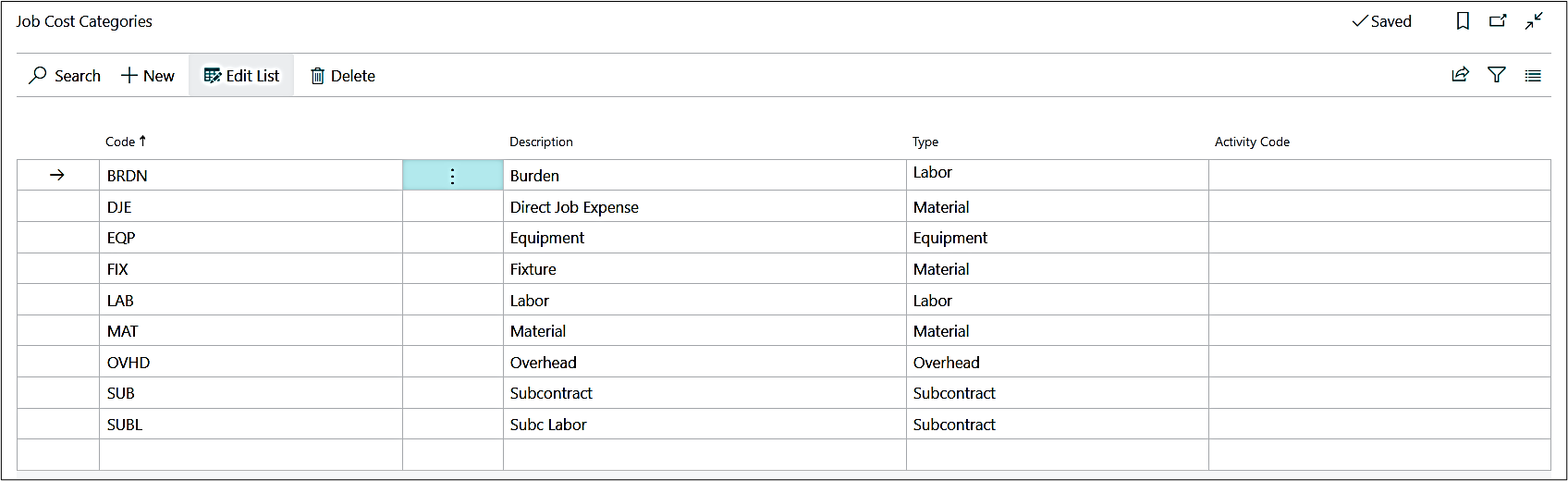
On this list page users can define the codes and description as per their requirement and then choose the Type against them, for example, Labor, Material, Equipment, etc.
Fields in the Project Posting Groups Window
| FIELDS | DESCRIPTION |
| Code | Specifies a code or short form of the cost category. The code must be unique with a maximum of 10 characters, including spaces. |
| Description | Specifies the description or the full name of the cost category. |
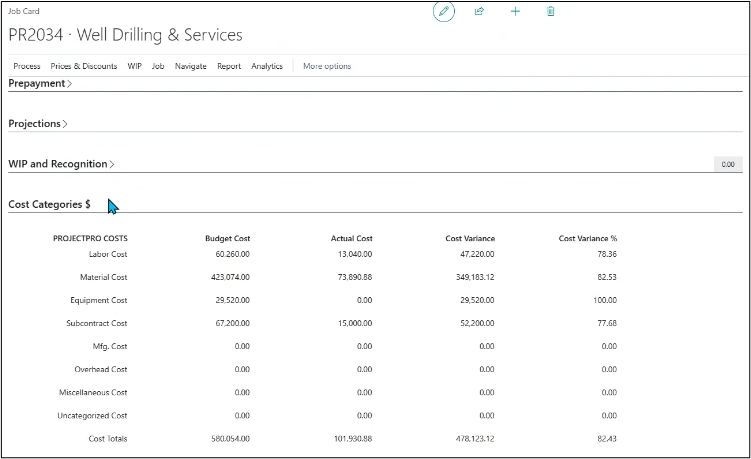
| Type | Specifies which type of Cost Category is and tie it with user defined Code defined above to identify and categorize accordingly. This is mainly to define the values under “Cost Categories” fast tab on the Project card. For example, Labor, Material, Equipment, Overhead, Subcontract, etc.
|
| Activity Code | Specify the default Activity Code against a cost category, so whenever the user selects that Activity Code then the same Cost Category will be picked on the Project Card or Purchase Document. |