Ch 02 – Stored Materials
Contents
| INTRODUCTION |
| STORED MATERIAL |
INTRODUCTION
Stored materials are materials and items purchased ahead of their planned use in a construction project. Purchasing all construction materials on a day-to-day basis would be logistically impossible in most cases and exceedingly expensive.
Stored materials in a progress billing can be defined using the fields on the lines:
1. Stored Material Amount – Defines the value/amount of the stored material being used.
2. Stored Material Retention Percentage – Defines the retention percentage to be applied on the stored material amount, if any. This gets auto populated from the “Material Retention Percent” field defined on the Retention fast tab.
3. Stored Material Retention Amount – Defines the retention amount that gets calculated from the above two fields.
If you are using the “Stored Materials” feature of the AIA Billings, then you must indicate the Retention % for Material either on the Retention Fast Tab to apply toward all stored material transactions or leave blank and enter each line items individual “Stored Material Retention Percent” which will automatically update the “Stored Material Retention Amount” value.
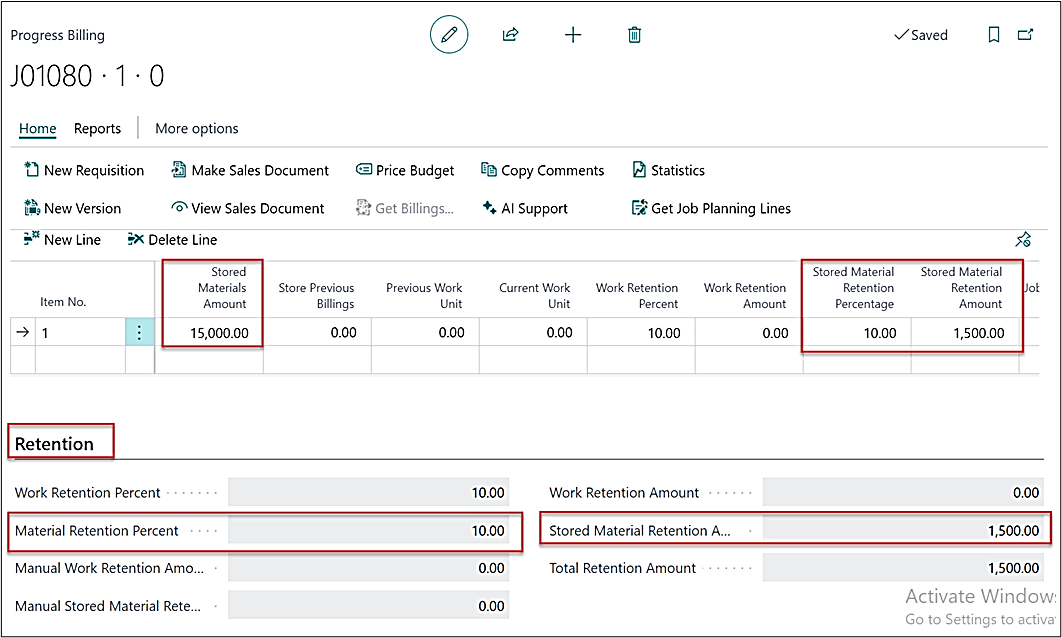
“Material Retention Percent” is normally set on the Retention fast tab as one percentage. AIA allows users the option to indicate on each line item a retention percentage for stored materials.
To bill the Stored material value, click on “Make Sales Document” and then to view the sales document click on “View Sales Document” from the ribbon.
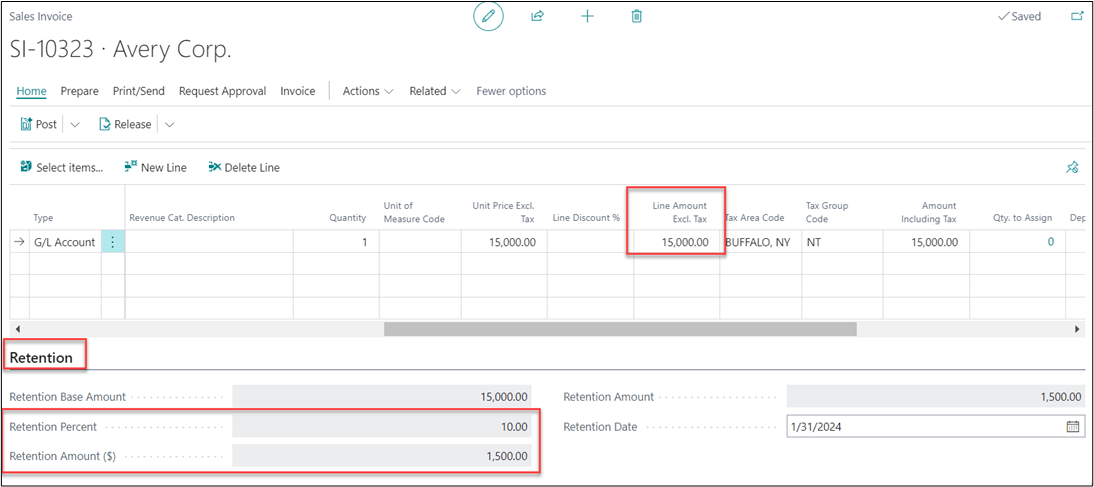
A sales invoice will get created with the defined stored material amount on the progress billing. Please note that, in this case there is no work amount being entered on the progress billing and hence no update on the sales invoice as well for the same.
NOTE: The amount that you bill the owner for stored materials should only be for the value of the materials and should not include any installation labor or equipment charges. As you install the material items into the Project, you reduce the amount of the stored value and increase your percentage of completion on the schedule value line based on installed percent.
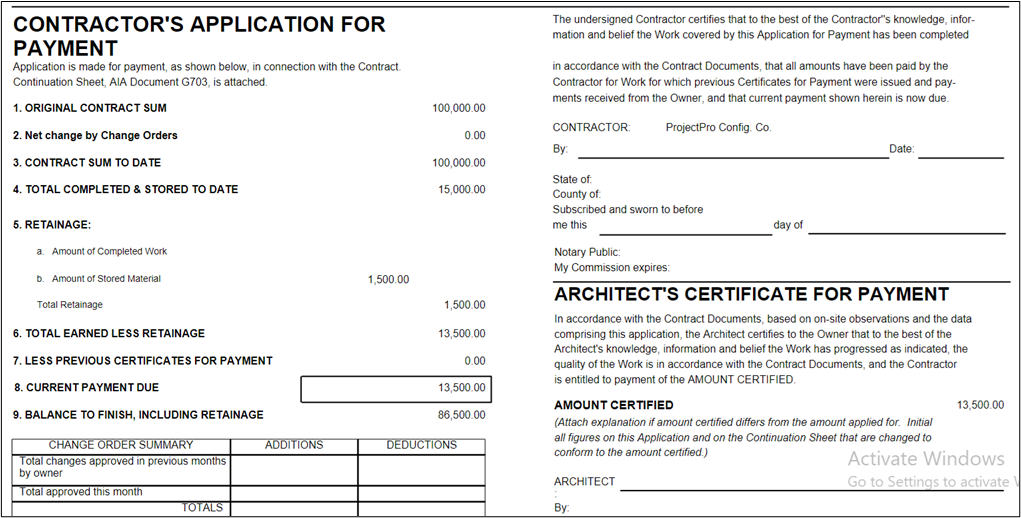
AIA G702
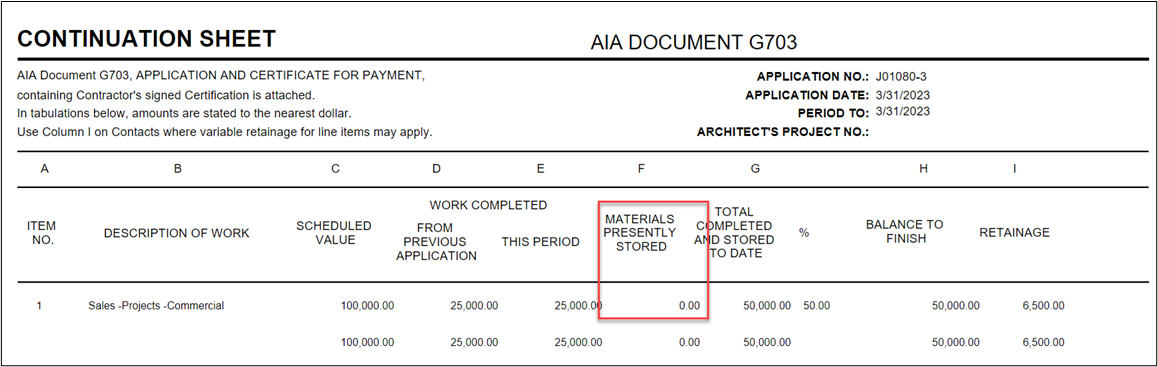
AIA G703
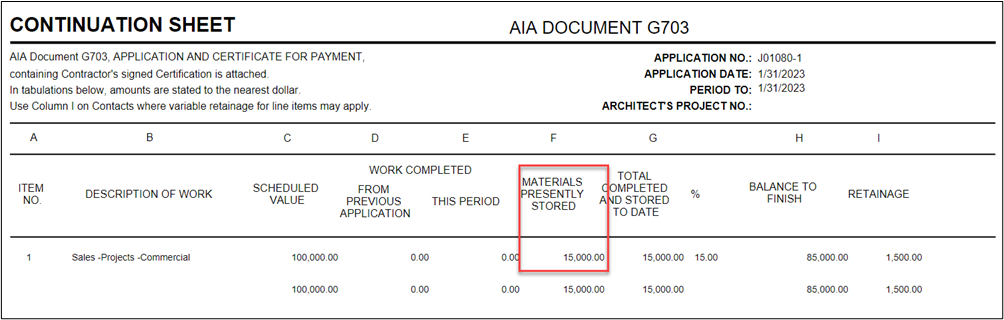
In the next requisition you can adjust the partially utilised Stored Material value with the additional billing amount.
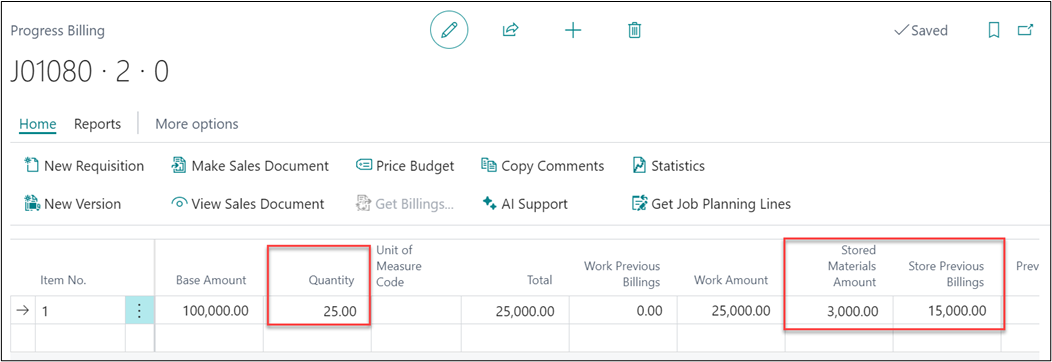
A Sales Invoice will be created as below.
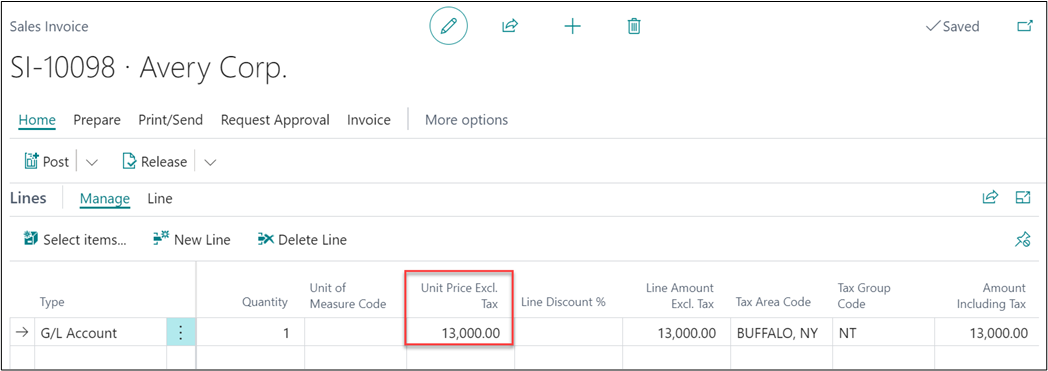
Now if we look at the AIA reports again, then it will look like as below.
AIA G702
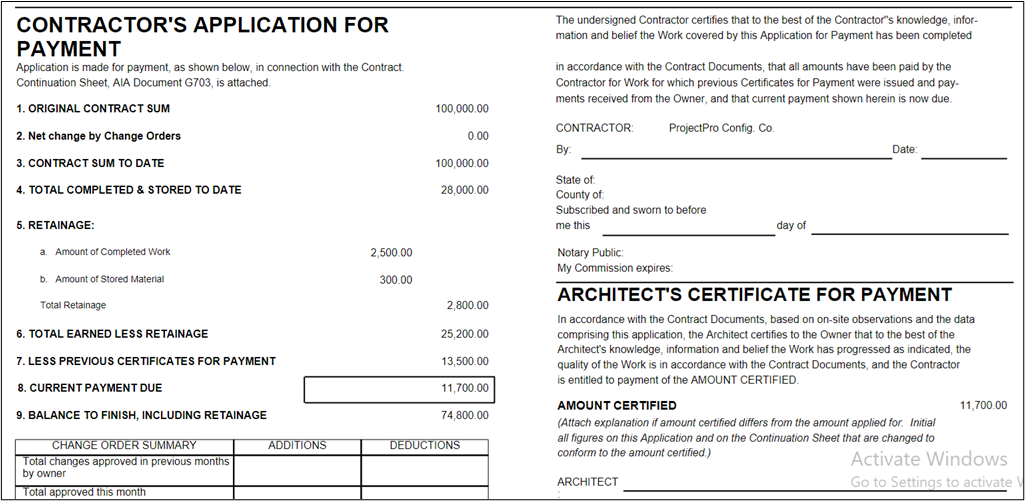
AIA G703
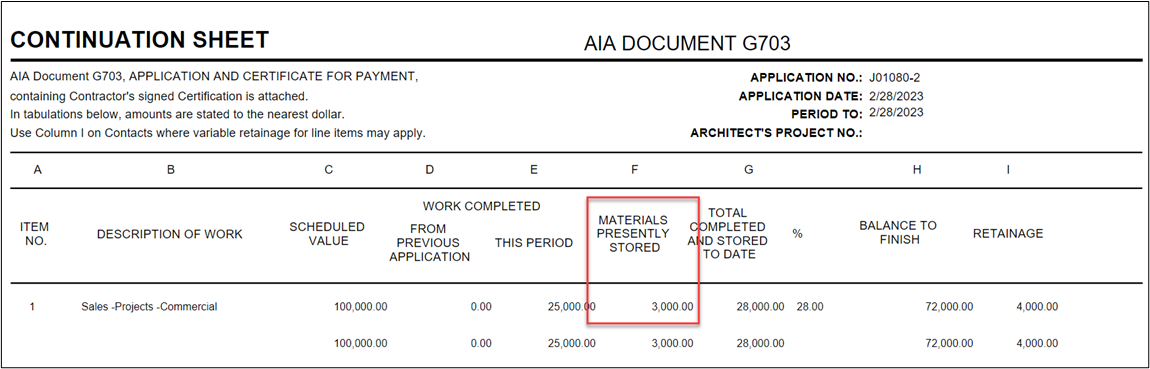
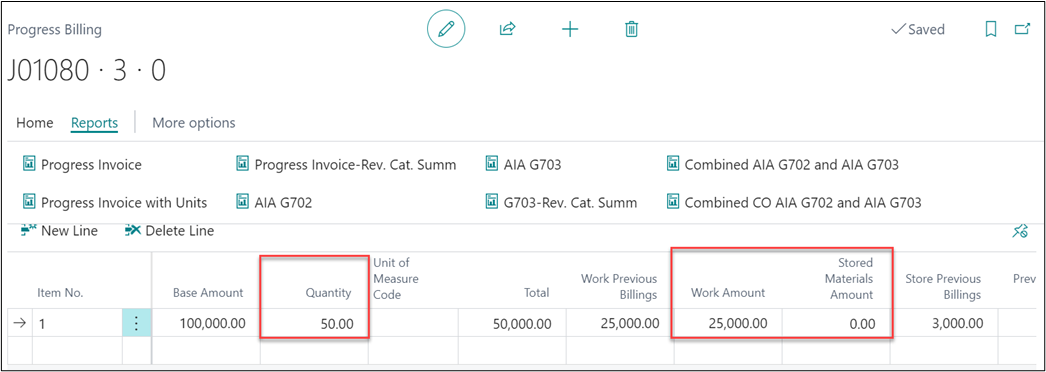
In the next requisition, all of the stored material value is utilized so the Stored Material Amount will become 0 and additional customer billing ha approved.
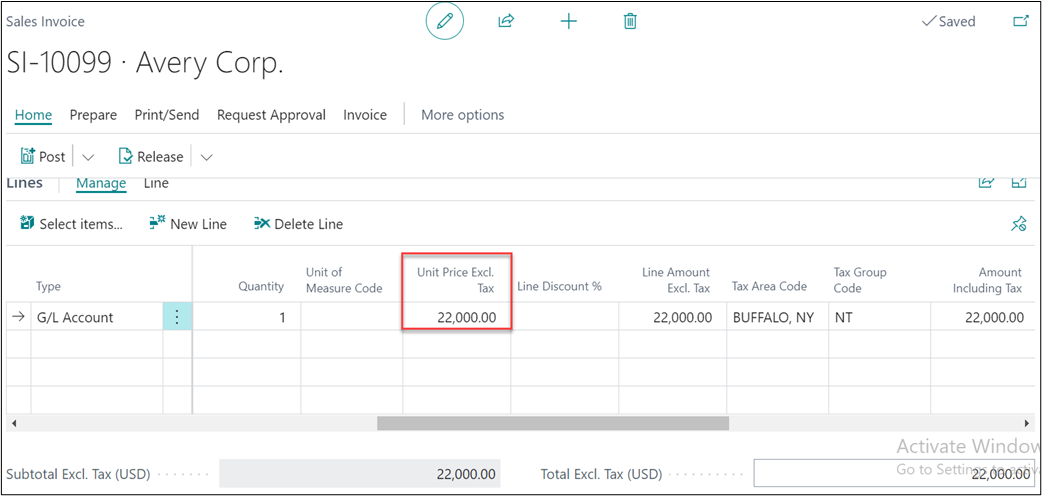
The sales invoice will get created as below.
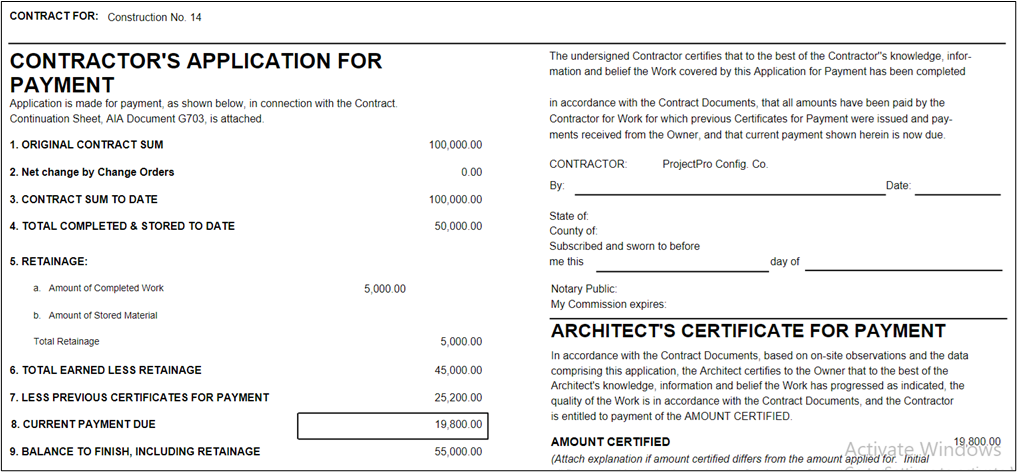
This time the AIA reports will look like as below.
AIA Report
AIA G703