
Ch 17 – FA Purchases with Project
Contents
| INTRODUCTION |
| PURCHASE FIXED ASSETS WITH PROJECT |
INTRODUCTION
An asset purchase is when either a single asset or group of assets is purchased, and both the buyer and seller remain owners of their separate businesses. The buyer purchases individual assets such as equipment, fixtures, leaseholds, or licenses.
PURCHASE FIXED ASSETS WITH PROJECT
To purchase an FA with project, there are two setups that need to be completed on the Project Setup’s General fast tab, see below. These setups are used at the backend for smooth posting and transaction flow.
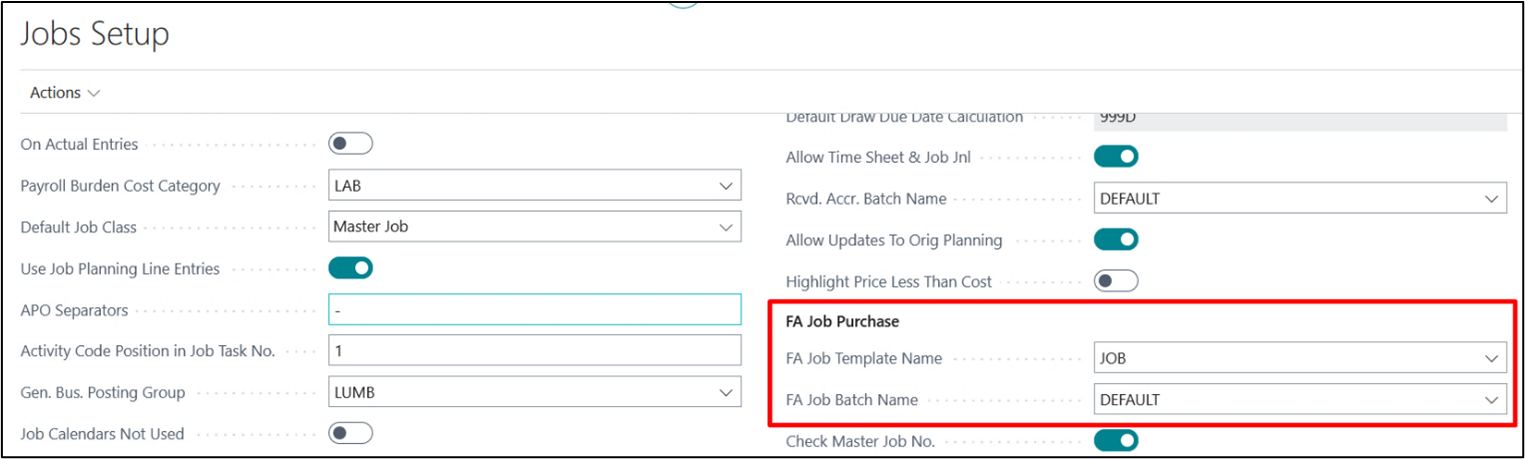
1. FA Project Template Name – Define a project journal template for any FA transaction linked to a project.
2. FA Project Batch Name – Define the project journal batch available under the defined template above.
On the fixed asset card, which needs to be purchased, define the resource (Type = Machine or Expense) under “FA Res. No.” field on general tab.
This resource will function as an equipment when a project usage is posted.
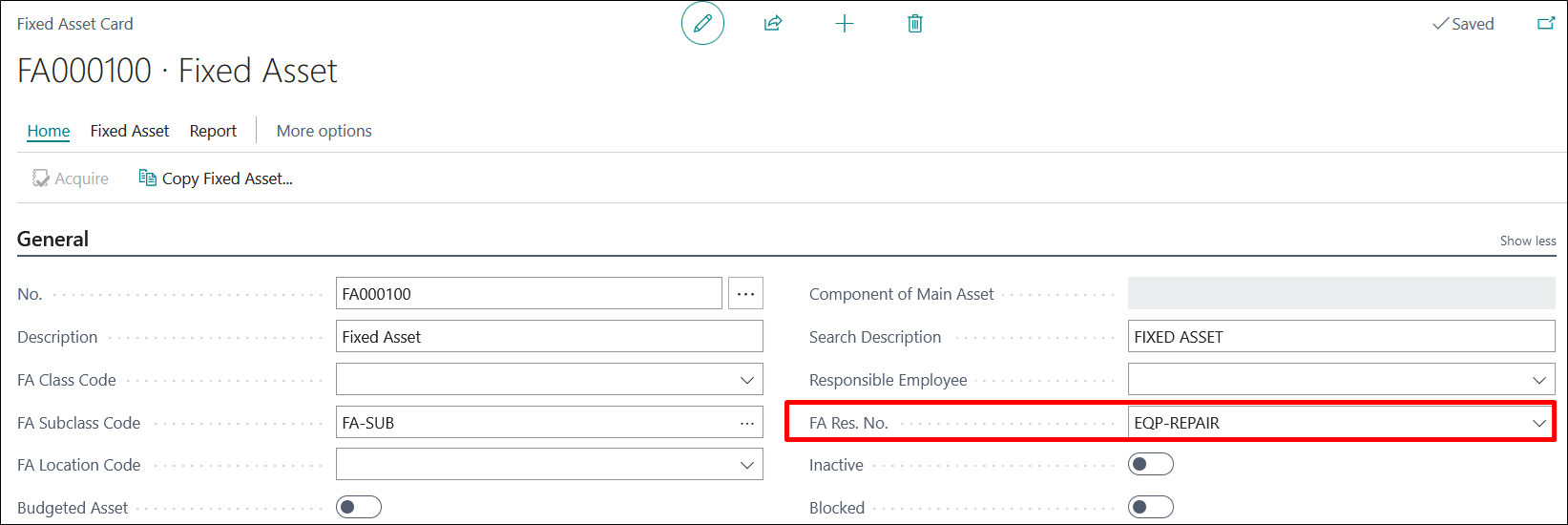
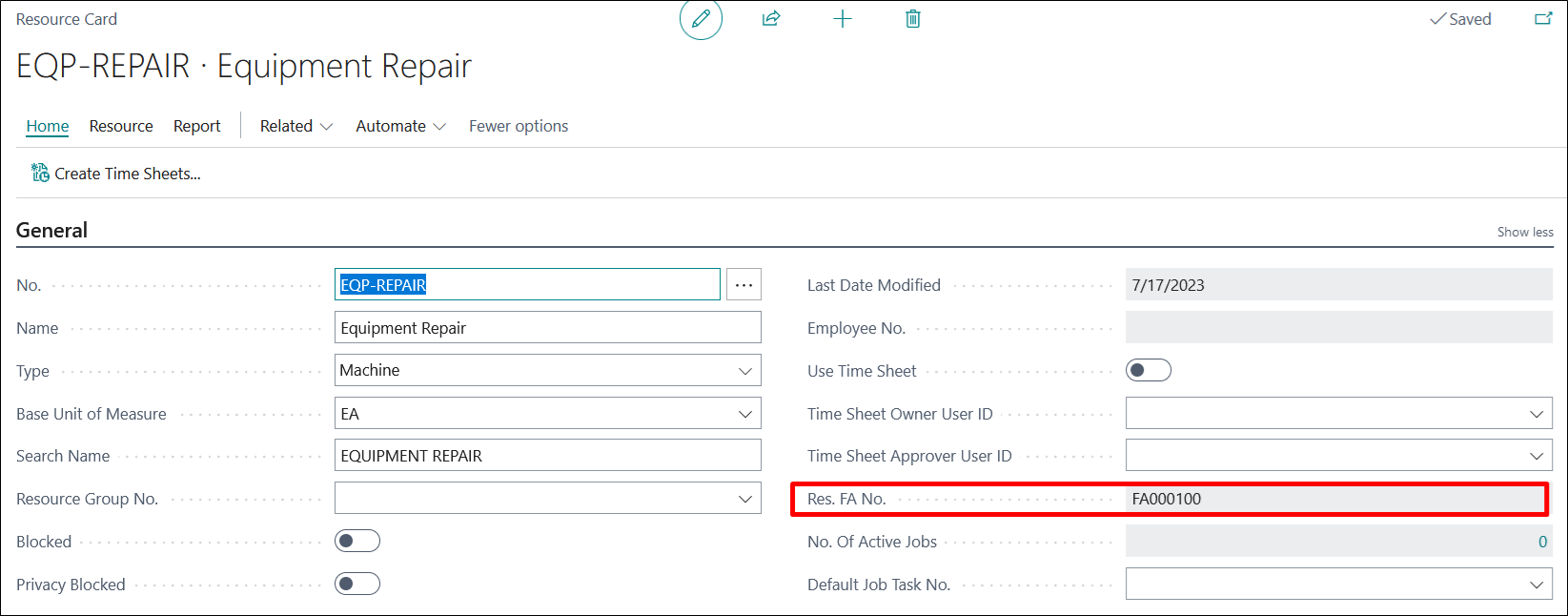
When a resource is tagged on the FA card as above, it automatically updates the FA no. on the related resource card as well under “Res. FA No.,” see below.
Create a Purchase Quote/Purchase Order, select FA No. on the purchase lines.
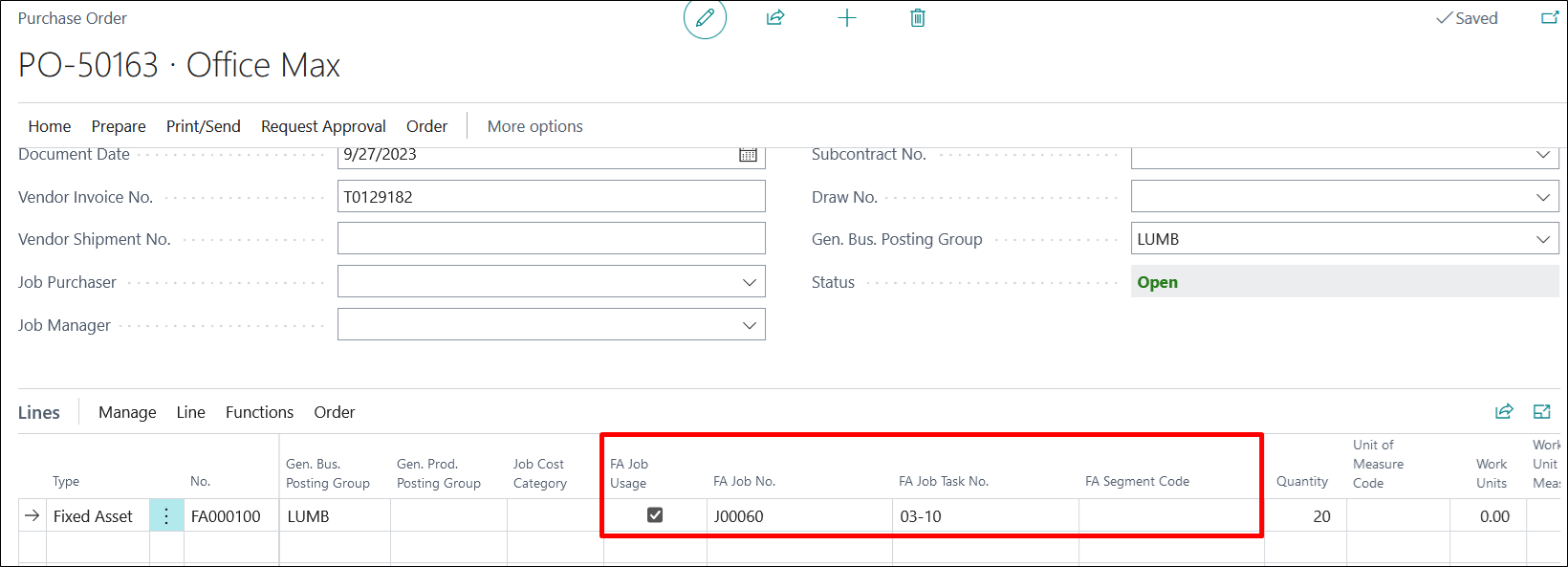
Place a checkmark on “FA Project Usage” and enter the “FA Project No.,” “FA Project Task No.,” and “FA Segment Code” (if required).
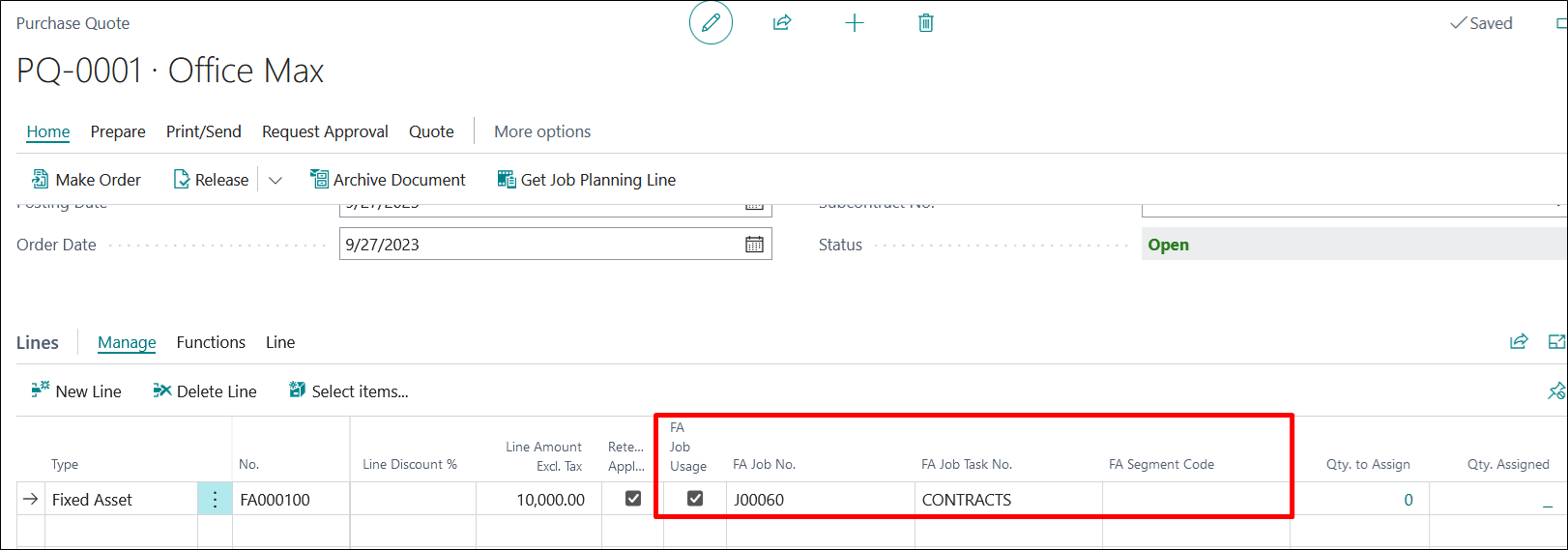
Make Order from Purchase Quote, to view updated details on Purchase Order, or directly create a PO with details as below.
When the purchase document is posted, the details flow to the Posted Purchase Invoice as well.
Also, check the related ledgers with updated fields.