
Ch 04 – APO Links
Contents
| APO Links |
APO Links
The APO Link functionality enables a user to bill on a Progress Bill based on the ratio of Actual Cost incurred in comparison to the Budget Cost.
APO Link is a function available on the Project Crad ribbon under Home tab, which is used to do the billings in proportion to the expenses incurred.
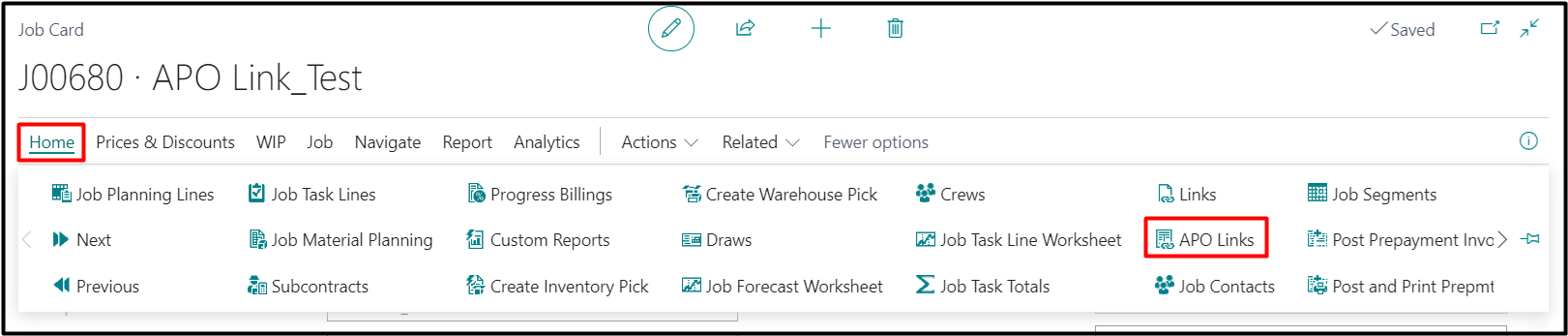
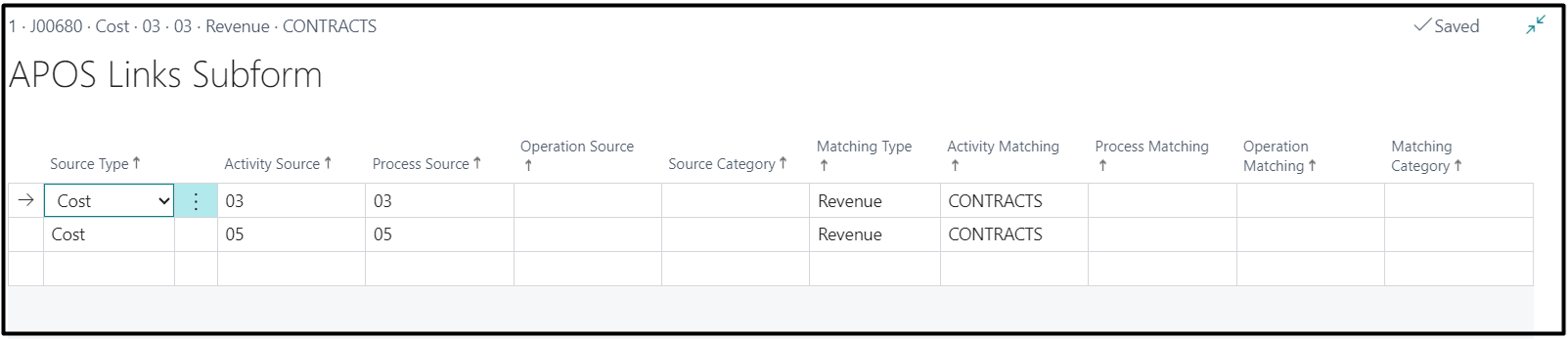
Open the APO Links page to set up the project tasks for costing against the billing tasks.
Select “Cost” under Source Type field and enter the APO against which costs were incurred.
Select “Revenue” under Matching Type field and enter the APO against which billings are to be done.
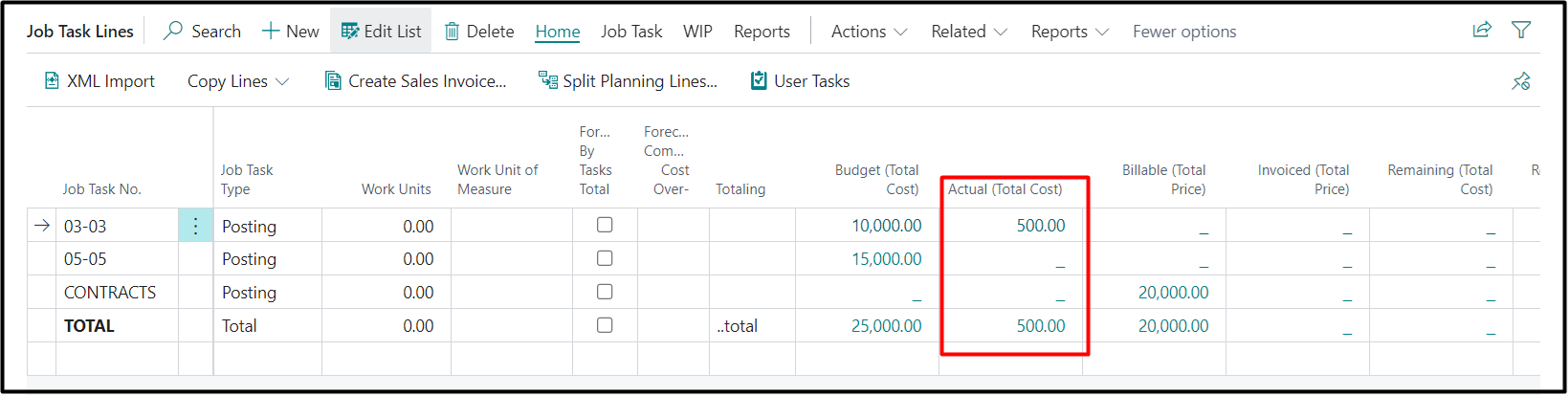
Post the expenses against a task. In this case a cost of $500 has been posted against the task “03-03”.
Create Progress Billing and get the lines from the project card. Go to Actions → Functions → Suggest Billing by Task.
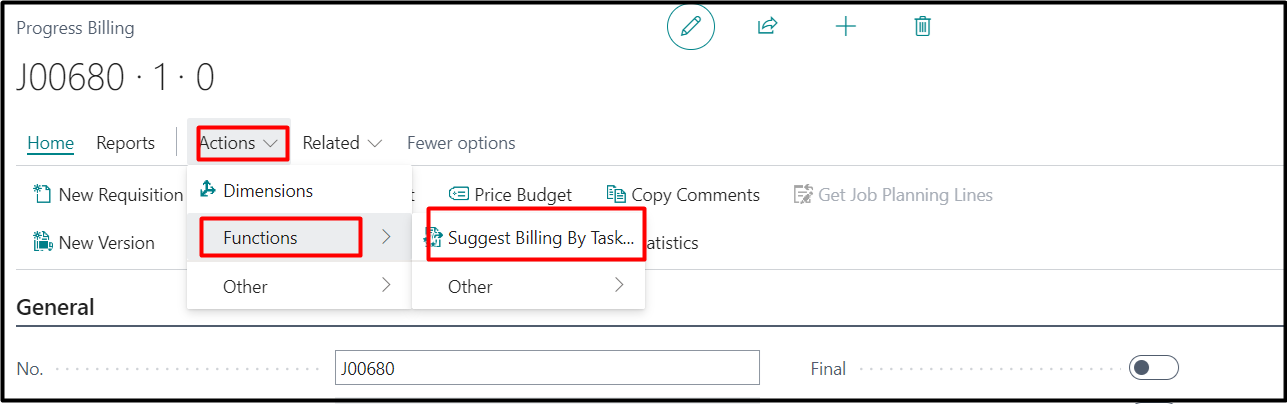
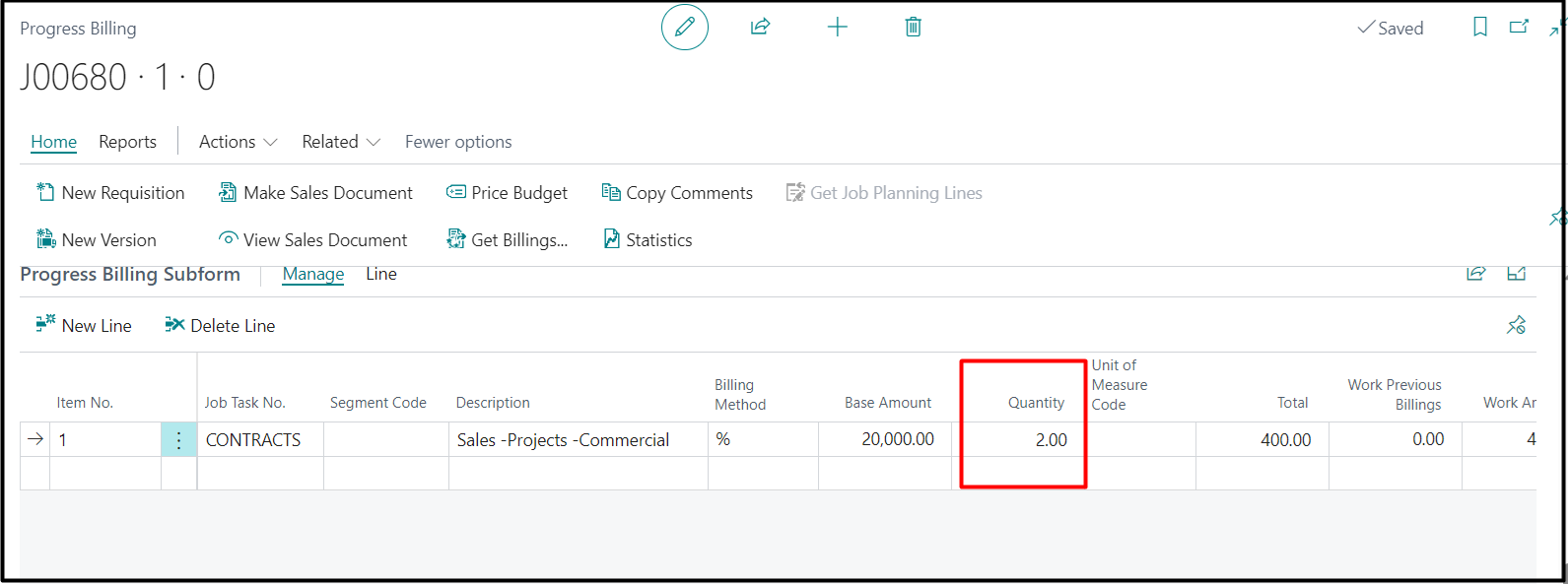
By clicking “Suggest Billing by Task”, the system calculates the quantity based on usage.
In this example,
Total usage = $500.
Total budget = $25,000.
Therefore, quantity = ($500/ $25000) * 100 = 2%
The further process is the same as the normal progress billing you follow.