Ch 05 – Vendor Lien Release Waiver
Contents
| INTRODUCTION |
| PROGRESS LIEN RELEASE |
| FINAL LIEN RELEASE |
INTRODUCTION
Lien Release Waivers are documents that are generated during the subcontract payment process. These documents contain the legal content in which the subcontractor acknowledges that the work performed for the owner or general contractor is either partially or fully completed on a specific project. These documents are either “Progress Lien Release” or “Final Lien Release” depending on the work completed that is due for payment.
PROGRESS LIEN RELEASE
The Progress Lien Release gets printed when the user is paying the partial amount to the subcontractor.
See below example showing the invoice entries to be applied on the payment line.

On the payment journal, define the “Print Lien Release” with type as “Progress”.

Once the payment entries are posted, you can print the lien release waiver from the vendor ledger entries.
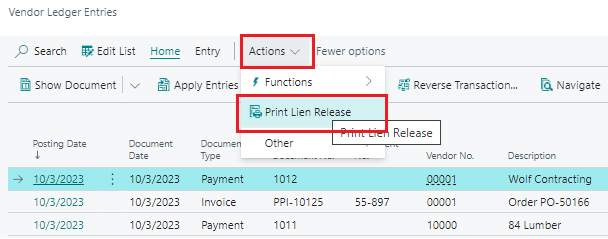
On the Vendor Ledger Entries, select the payment entry which was posted and click on Actions → Print Lien Release from the ribbon.
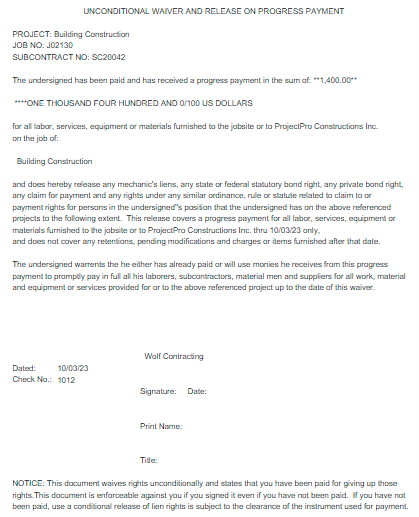
On the request page enter the relevant details pertaining to your lien release waiver. Set the field “Mark as Printed” as True to have the related vendor ledger entry reflect that the waiver has been printed. Click on “Print / Preview / Close” to print the report. The “Unconditional Waiver and Release on Progress Payment” will get printed as below.
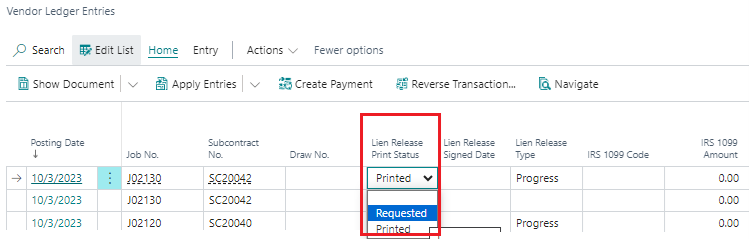
If for any reason the report needs to be reprinted, then you can do so by changing the value for “Lien Release Print Status” field from “Requested” to “Printed” and print the report again using the same option “Print Lien Release”.
FINAL LIEN RELEASE
The Final Lien Release gets printed when the user is paying the full amount to the subcontractor.
In this case the “Print Lien Release” field should be set as “Final”.
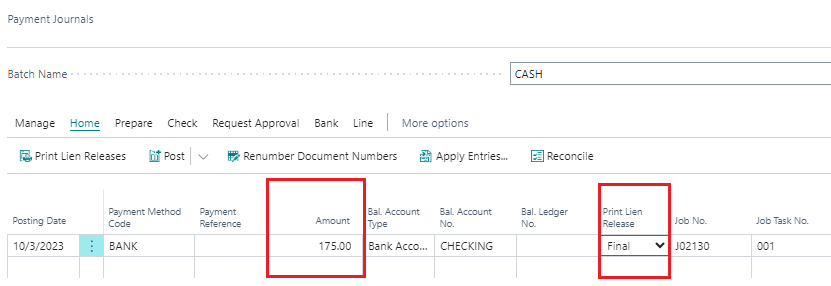
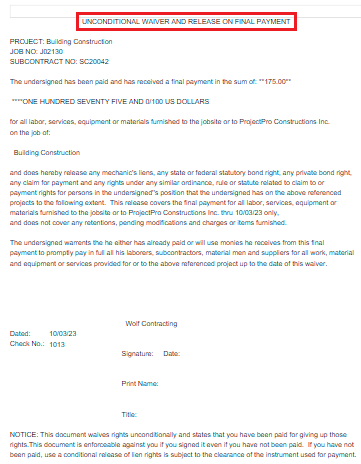
The process for printing “Final Lien Release” report are same as for printing the Progress Lien Release with a small difference on the vendor ledger entries where “Lien Release Type” should be set to “Final” on the payment entry.
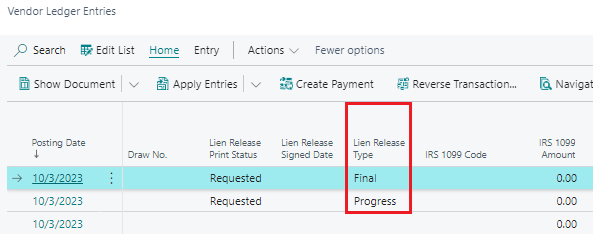
Print the report for final lien waiver using the option as “Print Lien Release” from the ribbon of vendor ledger entries. The “Unconditional Waiver and Release on Final Payment” will get printed as below.